Physical Address
304 North Cardinal St.
Dorchester Center, MA 02124
Physical Address
304 North Cardinal St.
Dorchester Center, MA 02124

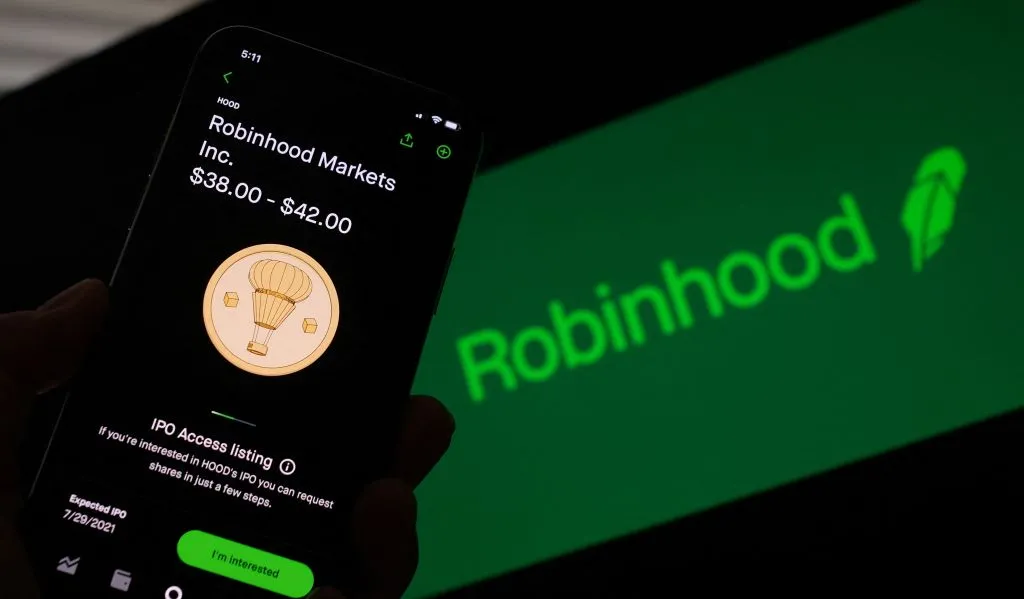
Transferring funds from your Robinhood investment account to your bank account is a smooth process, especially if you utilize the instant transfer option. With just a few taps in the app, you can move money from Robinhood to your bank in minutes.
Lets discuss everything you need to know about withdrawing money from Robinhood.
Before diving into the withdrawal process, let’s review what Robinhood is and how it operates.
Robinhood is a popular free stock trading app founded in 2013. It pioneered commission-free trades and requires no minimum account balance. This makes Robinhood accessible for new investors.
Key features include:
Robinhood aims to democratize access to financial markets. The app makes it easy for anyone to start investing with little money.
Robinhood offers several account types:
You can transfer funds from any of these Robinhood account types to your bank.
To move money between Robinhood and your bank, you first need to link an external bank account.
Within the Robinhood app, navigate to the Account page and select “Link Bank.” Provide your bank’s routing number and account number.
Robinhood will then make two micro-deposits into your bank account. Once these show up, enter the amounts in the app to verify your ownership.
With your bank account linked, you can seamlessly transfer funds in and out of Robinhood.
Now that you understand Robinhood accounts, let’s discuss how trading stocks and crypto works.
You can place buy and sell orders for securities right in the Robinhood app. The funds for purchases get deducted from your linked bank account.
It takes 1-2 days after the execution of a trade for it to settle. The proceeds from sales will appear as “unsettled funds” until the settlement date.
Once settled, the cash becomes available to withdraw or reinvest. Keep this settlement period in mind when transferring funds.
Now that you know the basics, let’s get into the different ways to withdraw funds from your Robinhood account.
You have several options to move money from Robinhood to your bank:
The best option depends on your priorities like speed, fees, and bank compatibility.
The process for withdrawing funds is straightforward in the Robinhood mobile app:
That’s it! The money will now get sent to your selected bank account.
For near-instant access to your funds, use Robinhood’s instant bank transfer option. This utilizes the RTP (Real-Time Payments) network.
The requirements are:
If your bank is eligible, the money gets sent straight to your account within minutes instead of days. This comes at the cost of a small fee, usually around 1-2% of the total.
Robinhood enforces defined limits on how much you can withdraw each day:
Contact Robinhood support if you need these limits raised. Additional verification may be required.
Remember it takes 1-2 days for proceeds from stock/crypto sales to settle. These “unsettled funds” can’t get withdrawn yet.
Similarly, pending transactions will hold funds until they complete, at which point the money becomes available to withdraw.
For standard ACH transfers, expect the bank transfer to take 2-5 business days to fully process. Only withdraw settled funds for the fastest access.
If you’re having issues withdrawing money from Robinhood, a few common problems could be responsible.
Here are some potential reasons you may be blocked from withdrawing money:
If the problem persists, contact Robinhood support for troubleshooting assistance.
To get withdrawal issues squared away:
With some patience and help from customer support, you should be able to get your money out.
If you try withdrawing to a new bank account, extra verification may be required.
Robinhood sometimes limits transfers to different banks than the original funding source. This protects against potential fraud.
You may need to share bank statements and ID to prove ownership of the accounts. After verification, the funds can get sent to the new bank.
Want to transfer your Robinhood investments to another brokerage? You can request an ACATS transfer.
However, this comes at a cost – Robinhood charges a $100 ACATS fee. To avoid the fee, you could:
Either way, some costs apply. Do the math to see which makes sense.
Let’s review some commonly asked questions about withdrawing funds from Robinhood:
There are no fees for standard bank account transfers via ACH.
However, instant bank transfers and debit card withdrawals come with a 1-2% fee per transaction. The fee varies based on amount.
Standard ACH transfers take 2-5 business days to reflect in your bank account. Instant options take just minutes but have fees.
The limits depend on transfer type:
You can make a maximum of 5 bank transfers out of Robinhood per day.
You must wait for deposits and trades to settle before withdrawing those funds from Robinhood.
Any pending orders will also hold the required money until the transactions complete.
Yes, you can cancel a withdrawal if the status is still pending.
To do so, go to your history page, select the pending transfer, and choose “cancel.” Only pending transfers are eligible for cancelation.
Withdrawing money from your Robinhood account is straightforward once you understand the different options and limitations. Be sure only to transfer settled funds and avoid exceeding daily limits.
Use instant transfers for the fastest access, or standard ACH if you want to avoid fees. Pay attention to any holds on funds from pending transactions or recent deposits.
Stuck on getting money out of Robinhood? Reach out to customer support. They can investigate and help resolve many withdrawal issues.
Now you have all the key information on how to swiftly move money from your Robinhood investment account back to your bank account. Use this guide to withdraw funds when needed.